Photo Editor: Retouch, Enhance
- 4.7
- Rating
- 10.00M
- Installs
- Free
- Price

 Analysis by App-foxy
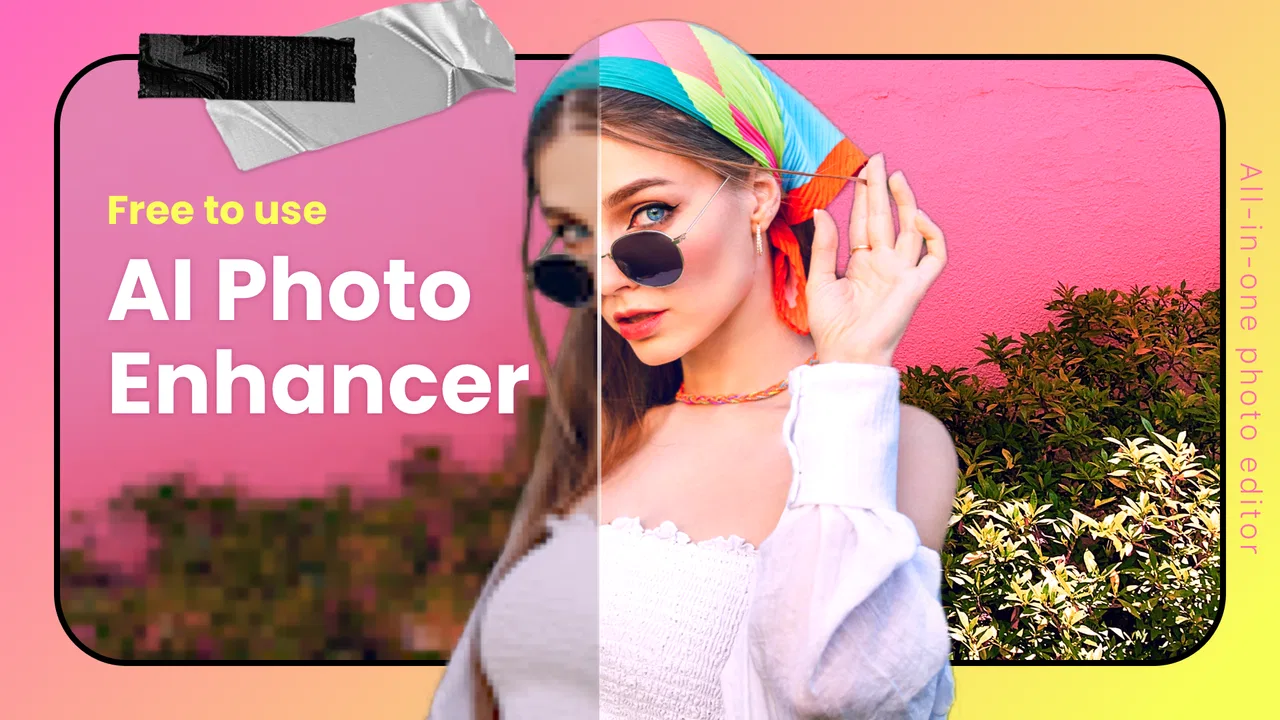
I spent time with Photo Editor: Retouch, Enhance as a photography app, and my first impression was that it aims to cover several everyday editing jobs in one place. It combines portrait retouching, body adjustments, AI-assisted enhancement, and collage work rather than focusing on only one narrow tool. That makes it appealing when I want to improve a picture quickly without moving between several separate editors.
The app is developed by Photo Editor & AI Art and is free to install. Its Everyone content rating also makes it broadly approachable for casual family, social, and personal photography. The important distinction is that free installation does not mean every editing option is free: in-app purchases range from $1.99 to $39.99 per item. I therefore see it as a free starting point whose real value depends on how much of the editing workflow is available without payment and how often I need its more advanced tools.
How the editing experience fits real photo tasks
The strongest idea behind this app is convenience. Instead of opening one application for removing small imperfections, another for improving a dull image, and a third for arranging several pictures, I can begin with one editor and decide how far I want to go. That is useful for a quick social post, a profile image, a family snapshot, or a simple collage where speed matters more than absolute control.
You May Also Like

 Google Keep - Notes and lists
Google Keep’s Quiet Growth Shows the Appeal of Simpler Notes
As mobile work gets busier, Google Keep keeps winning a simple contest: capture a thought quickly, find it later, and get on with the day.

 Blood Strike: 2.5 Anniversary
Blood Strike’s Loadouts Turn Every Drop Into a Tactical Gamble
A close look at Blood Strike’s custom loadouts: how fast access to signature weapons reshapes its battle royale rhythm, rewards preparation, and narrows the gap between fights.

 Pandora - Music & Podcasts
Pandora’s Music Is Easy to Start, but Harder to Recover
Pandora’s strength is its low-effort path from a seed to a station. Its weak spot is how much confidence it asks you to place in connection, setup, and quiet recovery.

 8 Ball Pool
 Is Built on Rivalries, Rematches, and Routine
A close look at the rivalries, rematches, shared routines, and unanswered safety questions that turn a quick pool match into a persistent mobile community.

 Samsung Music
’s Quiet Strength Is Playing What You Already Own
Its reach comes less from spectacle than from dependable access to a personal library. That simplicity is both the app’s strongest retention engine and its ceiling.

 AccuWeather: Weather Radar
AccuWeather Review: A Quick, Clear Forecast for Everyday Decisions
For everyday plans, the best forecast is the one you can understand quickly. AccuWeather makes rain timing, radar, and local conditions easy to act on, with a few trade-offs.
More From Our News Desk



I found the combination of portrait and general enhancement tools more useful than treating them as unrelated features. A face can be retouched while the overall image is improved, but those adjustments need to be made carefully. If I brighten or sharpen everything too aggressively after smoothing a face, the result can look artificial. My practical approach is to make the smallest portrait correction first, inspect the image at normal viewing size, and only then apply broader enhancement.
The body-editing angle is more specialized. It can be helpful when clothing, posture, or perspective creates a small visual distraction, but this is the area where restraint matters most. I would use it for a subtle correction in a single image, not as a reason to reshape every photo. Strong edits can make backgrounds bend or straight lines look unusual, so checking the edges of the frame before saving is a worthwhile habit.
Useful workflows beyond a one-tap edit
One practical workflow is preparing a profile picture. I would crop the subject first, make a restrained face adjustment, improve brightness or clarity, and then compare the result with the original before exporting. This order avoids polishing details that may disappear after cropping. It also helps keep the face consistent with the surrounding lighting instead of producing a sharply edited subject inside a dull photograph.
For a group of vacation or event photos, the collage maker is more useful than editing each image in isolation. I can select a few related pictures, arrange them into one shareable composition, and use the layout to tell a small story. The trade-off is that a collage is not a replacement for a dedicated design application when I need exact spacing, typography, branding, or a carefully controlled print layout.
Another less obvious use is rescuing a photo that is technically acceptable but lacks impact. Rather than immediately applying a dramatic filter, I would try enhancement on the original, inspect faces and fine details, and then decide whether any retouching is still necessary. This two-stage process is safer because enhancement can already change texture and contrast. Adding strong smoothing afterward may remove the natural detail that made the picture believable.
The app is also better suited to finished images than to serious photographic development. I would not choose it as my main tool for managing a large library of raw camera files, building a repeatable professional color workflow, or making precise local adjustments across many images. Its appeal is the direct, accessible edit: open a picture, improve a few visible problems, and prepare it for sharing.
What the free starting point really means
From a cost perspective, the app is straightforward to try because there is no purchase required to install it. That lowers the risk for someone who only needs occasional portrait cleanup or a quick collage. I can test whether the interface suits my habits before deciding whether any paid option is worthwhile.
The paid range is broad, from $1.99 to $39.99 per item, so I would not assume that every useful tool is included in the free experience or that one payment unlocks everything. The sensible approach is to identify a specific recurring need first. If I only edit a few pictures each month, the free access may be enough. If I repeatedly depend on a particular premium function, I would judge that individual purchase by how much time it saves rather than by the number of tools advertised around it.
This distinction matters because a large toolbox can look valuable even when I use only one or two functions. I would avoid paying simply to unlock possibilities I am unlikely to touch. Conversely, a small purchase can be reasonable if it removes a repeated obstacle in my normal workflow. The app gives me a low-commitment way to explore, but the value of paid access is personal and should be measured against actual use.
Where it delivers convincing value
For casual portrait editing, the app brings together the controls most people want when a picture is almost right but needs a little help. I can work on a face, adjust the impression of the body, improve the overall image, and create a collage without learning several unrelated interfaces. That concentration is its clearest advantage over assembling separate single-purpose apps.
The AI-enhancement positioning is particularly attractive for users who do not want to understand every technical setting. A guided improvement can be a useful first pass, especially on a phone screen where judging small changes is difficult. I still prefer to treat automated enhancement as a suggestion rather than a final answer. Looking at the eyes, hair, skin texture, and background after processing is essential because a result that seems impressive at first glance may lose natural detail.
The collage function adds value for people who share collections rather than single images. A small set of related photos can become one post or message attachment, which is more convenient than sending multiple files. This is a real everyday benefit, although users who care about exact creative control may find a dedicated collage or design tool more flexible.
The app’s popularity also gives me some confidence that it has broad appeal: it carries a 4.7 average from around 104 thousand ratings, with more than 10 million installs. Those figures do not guarantee that every workflow will suit me, but they suggest that the app is not aimed only at a tiny specialist audience. I would still use my own editing needs as the deciding factor rather than treating popularity as proof of perfect results.
Trade-offs I noticed before recommending it
The first trade-off is simplicity versus precision. Bringing retouching, enhancement, body editing, and collages together is convenient, but a general-purpose mobile editor may not offer the same depth as a specialist portrait editor, a professional photo editor, or a dedicated layout application. If I need exact masks, repeatable adjustments, or detailed color work, I would look elsewhere.
The second is natural appearance. Face and body tools can make a quick image look more polished, but they also invite over-editing. The safest method is to make one adjustment at a time, zoom out frequently, and compare against the original. I pay special attention to skin texture, hair edges, shoulders, and straight background lines. These areas reveal editing artifacts sooner than the center of the face does.
Automated enhancement brings a similar compromise. It can save time, but it may not understand what I consider important in a photograph. A darker mood, soft skin, or intentionally muted detail can be changed by a broad correction. I prefer to use it as a starting point and then undo or reduce anything that changes the character of the image.
There is also a practical cost trade-off. The app is free to install, but the presence of item purchases means I need to pay attention before committing to a paid tool. For a person who edits occasionally, trying the free workflow first is sensible. For someone comparing it with a fully free editor, the potential paid layer may make another option more predictable, especially if that person needs advanced controls every day.
Performance expectations should also be realistic. Enhancement and complex edits can be more demanding than a simple crop or brightness change, particularly on older phones. The current version is 1.300.3 and supports devices running Android 7.0 or later, which gives it a wide compatibility range. Still, compatibility is not the same as identical speed on every device, so I would keep the original image and avoid replacing it until I am happy with the result.
Who will get the most from it
I think this app is a good match for someone who edits photos directly on a phone and wants a broad set of portrait-focused tools without building a complicated workflow. It suits social-media users, casual creators, travelers, families, and anyone who occasionally needs a cleaner profile image or a quick multi-photo composition.
It is especially useful for people who value speed over technical depth. If my usual task is “make this face look a little better,” “improve this dim picture,” or “put these photos together,” having those jobs close together is convenient. The app also works well for a user who is still learning photo editing because the main appeal is visible, immediate correction rather than a long list of professional settings.
I would be more cautious recommending it to photographers who need a consistent look across a large collection. They may prefer a tool built around detailed exposure, color, masking, and batch-style control. I would also steer away users who want completely manual body or face retouching, because automated or simplified workflows can feel limiting when every pixel matters.
People who dislike the look of heavily edited portraits should not judge the app by its strongest possible transformation. Its better use is subtle correction. I would begin with a duplicate or saved original, apply less than I think I need, and view the final image away from the editing screen. That simple discipline makes the difference between a believable improvement and an obvious filter-like result.
My buy-or-skip verdict
I recommend trying Photo Editor: Retouch, Enhance if I want an accessible photography app that combines portrait retouching, body adjustments, AI-style enhancement, and collage creation. Its free installation makes experimentation easy, and its broad focus is more convenient than switching among several basic editors for small everyday jobs.
I would not pay automatically just because the app includes many categories of tools. I would first complete a real edit, identify which function I actually use, and then consider whether an item priced between $1.99 and $39.99 gives enough repeated value. That is the fairest way to separate useful paid access from features that merely sound interesting.
The developer, Photo Editor & AI Art, has positioned this as a practical all-rounder rather than a replacement for every professional photography application. In my experience, that is the right way to view it. It is strongest when I need a quick, attractive result on a phone and am willing to check automated or reshaping edits carefully.
With a release date of Mar 16, 2023 and an Everyone rating, it is easy to place in a general mobile photography toolkit. My final recommendation is therefore conditional but positive: try the free experience for casual portrait and collage work, keep the original files, and pay only when a specific feature repeatedly saves you time. Skip it if your priority is advanced manual control, batch consistency, or a strictly free professional-style workflow.
FAQs for Photo Editor: Retouch, Enhance
01What are the main features of Photo Editor: Retouch, Enhance?
Photo Editor: Retouch, Enhance offers a range of features including advanced photo retouching tools, color enhancement options, and a variety of filters and effects. Users can also enjoy tools for cropping, rotating, and adjusting brightness and contrast. The app supports high-resolution photo editing and provides user-friendly navigation for ease of use.
02Is Photo Editor: Retouch, Enhance free to use?
The app is available for free download, offering basic features at no cost. However, to access advanced tools and premium filters, users may need to purchase a subscription or make in-app purchases. This allows users to fully explore the app’s capabilities without any initial investment.
03Can I use Photo Editor: Retouch, Enhance on both Android and iOS devices?
Yes, Photo Editor: Retouch, Enhance is available for both Android and iOS platforms. This ensures that users can enjoy its features on a wide range of smartphones and tablets, making it accessible to a larger audience. Compatibility with both systems is regularly updated for optimal performance.
04Does Photo Editor: Retouch, Enhance require an internet connection?
While many features of Photo Editor: Retouch, Enhance can be used offline, some functionalities, such as downloading additional filters or accessing cloud storage, may require an internet connection. Users should be aware of this when planning to use the app in areas with limited connectivity.
05How does Photo Editor: Retouch, Enhance ensure user privacy and data security?
Photo Editor: Retouch, Enhance prioritizes user privacy by implementing strong data protection measures. The app does not store personal photos on its servers unless the user opts for cloud storage. Additionally, any data shared within the app is encrypted to prevent unauthorized access, ensuring user information remains confidential.
Pros
- User-friendly interface for easy navigation.
- Wide range of editing tools available.
- High-quality output with minimal effort.
- Supports various image formats.
- Regular updates with new features.
Cons
- Some features locked behind paywall.
- Occasional ads can interrupt workflow.
- Requires stable internet for cloud tools.
- Limited free storage for edited photos.
- High battery usage during extended sessions.

Photo Editor: Retouch, Enhance
Gallery